Speed Boat Tsunami Controls
Every input for driving boats, training speed, and navigating menus on all platforms.
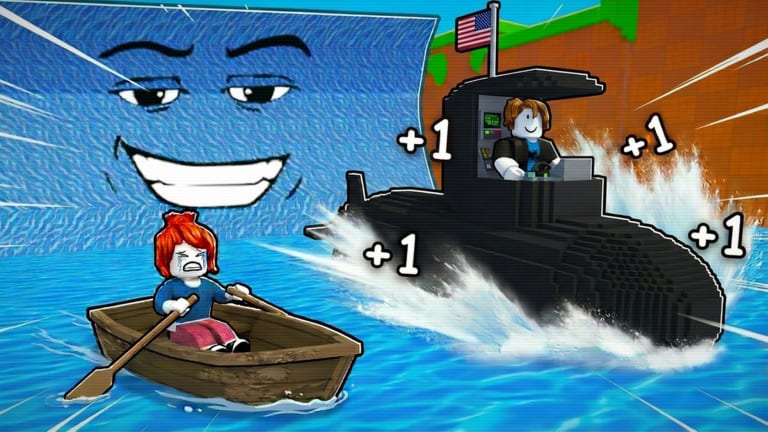
Controls are the difference between a profitable tsunami run and a respawn loop in +1 Speed Boat Tsunami. Bitporters built the game for Roblox’s cross-platform client — keyboard, touch, and gamepad all work, but bindings differ and none of them are obvious until you have wiped twice in thirty seconds.
This page lists every control category: boat driving, on-foot movement for treadmills, menu navigation including the left-side Codes button, and quality-of-life Roblox shortcuts that still apply in-game. Pair it with how to play for loop context and the tier list for hulls that reward precise steering.
PC keyboard and mouse controls
Most Roblox simulator veterans play on PC for reaction time. Speed Boat Tsunami follows standard Roblox movement with boat-specific interact prompts near docks.
On-foot movement (spawn island and treadmills)
| Action | Default key |
|---|---|
| Move forward | W |
| Move backward | S |
| Strafe left | A |
| Strafe right | D |
| Jump | Space |
| Shift lock toggle | Shift |
| Camera rotate | Hold right mouse button + move mouse |
| Zoom camera | Scroll wheel |
Treadmill training in how to train speed usually requires standing on the pad while holding W or letting auto-walk engage if the map supports it. Some treadmills activate on touch alone — walk into the highlighted zone and confirm a prompt appears.
Boat driving
Boat controls inherit Roblox vehicle physics. Exact feel varies by hull tier from early game boats through best boats.
| Action | Default key |
|---|---|
| Accelerate forward | W |
| Brake / reverse | S |
| Turn left | A |
| Turn right | D |
| Exit boat (when allowed) | Jump — Space |
| Interact / enter boat | E — when prompt visible |
Driving tips for PC:
- Tap A and D for sharp tsunami dodges instead of holding long turns that drift wide
- Release W before braking into safe pockets — higher tier boats overshoot if you hold accelerate
- Shift lock helps on narrow lanes; toggle off for wide camera sweeps reading wave telegraphs
Menus and codes on PC
| Action | Input |
|---|---|
| Open Codes menu | Click Codes button on left side of screen |
| Redeem code | Click text box, Ctrl+V paste, click Redeem |
| Open Roblox menu | Esc |
| Reset character | Esc → Reset — use sparingly mid-run |
Redeem BITPORTERS for 1,500 Coins via active codes before your first upgrade. Full walkthrough on how to redeem codes.
Mobile touch controls
Mobile players dominate public server counts in many Roblox incremental games. Speed Boat Tsunami mobile layout uses Roblox’s virtual thumbstick and touch zones.
On-foot movement
- Virtual thumbstick — bottom-left, drag for direction
- Jump button — bottom-right
- Camera — drag empty screen area to rotate view
- Pinch — zoom in/out
Walk to treadmill zones the same as PC — stand on highlighted pads until speed ticks upward.
Boat driving on mobile
- Thumbstick forward — accelerate
- Thumbstick backward — reverse/brake
- Thumbstick left/right — steer
- Tap interact — enter or exit boat when prompt shows
Mobile steering feels less precise on fast S-tier hulls from best boats. Many mobile mains prefer B-tier boats with forgiving turn radius until muscle memory develops.
Menus and codes on mobile
- Tap Codes on the left side of HUD
- Tap text field, hold paste from clipboard, tap Redeem
- Roblox menu via hamburger icon top-left — reset character if stuck
Use code copy tool on another device if typing BITPORTERS manually is annoying.
Gamepad controls (Xbox / PlayStation style)
Roblox maps gamepads automatically when connected before launch.
On-foot
| Action | Xbox | PlayStation |
|---|---|---|
| Move | Left stick | Left stick |
| Jump | A | Cross |
| Camera | Right stick | Right stick |
Boat driving
| Action | Xbox | PlayStation |
|---|---|---|
| Accelerate | RT trigger | R2 |
| Brake/reverse | LT trigger | L2 |
| Steer | Left stick | Left stick |
| Interact | X | Square |
Gamepad analog steering suits gradual tsunami lane adjustments. Trigger acceleration gives finer speed control than keyboard digital W key — useful on best boats with extreme top speed.
Menus
Navigate Codes menu with D-pad and face buttons. Select text field, use on-screen keyboard or platform OS keyboard for code entry.
Universal Roblox shortcuts
These work in Speed Boat Tsunami regardless of platform-specific boat bindings:
- Shift lock — keeps camera behind character for treadmill grinding
- Graphics settings — lower quality can reduce input lag on low-end mobile
- Private servers — same controls, fewer obstructions from other players’ boats
Controls for rebirth and shop menus
Rebirth and boat shop menus are click or tap interfaces without special keybinds:
- Walk to rebirth zone or open rebirth button on HUD when glowing
- Read multiplier preview carefully — see how to rebirth
- Confirm rebirth intentionally — mis-clicks hurt
- Boat shop — browse tiers aligned with tier list, purchase with Wins or Coins
No keyboard shortcut skips confirmation dialogs by design.
Controls vs. scripts
Third-party scripts may automate driving without physical input. That is not a control scheme — it is exploiting with ban risk. Improve legitimately by practicing brake-turn patterns on early game boats before upgrading speed.
Recommended settings for tsunami dodging
PC: Lower mouse sensitivity slightly for predictable camera snaps when reading wave telegraphs off-screen.
Mobile: Increase graphics if device handles it — blur reduces telegraph readability.
Gamepad: Raise controller deadzone only if stick drift causes accidental turns.
All platforms: Sound on — audio cues often precede visual tsunami warnings.
Troubleshooting control issues
Boat will not move — Confirm you pressed interact to enter hull. Check if tsunami stun locked controls briefly.
Codes button missing — Rejoin server; UI sometimes fails to load on slow connections.
Wrong key responds — Roblox settings → bindings reset to default.
Mobile drift — Clean screen; phantom touches steer boats into waves.
Gamepad not detected — Connect before launching Roblox client.
After patches listed on updates, rebinding occasionally resets — verify defaults if controls feel wrong post-update.
Related pages
- How to play — beginner loop using these controls
- How to train speed — treadmill movement
- How to get wins — driving strategy
- Active codes — Codes button location
- Tools hub — helpers that do not replace skill
- Guides hub — full walkthrough index
Master the inputs before blaming your boat tier. Speed Boat Tsunami rewards hands that know when to brake.
Frequently Asked Questions
Quick answers to common Speed Boat Tsunami questions.
How do you drive a boat in Speed Boat Tsunami on PC?
Use W to accelerate, S to brake, A and D to steer. Press E to enter a boat when the interact prompt appears near the dock.
Where is the Codes button?
The Codes button is on the left side of your screen. Tap or click it, paste a code like BITPORTERS, and press Redeem.
What are the mobile controls for Speed Boat Tsunami?
Use the virtual thumbstick bottom-left to move and steer boats. Jump button is bottom-right. Drag the screen to rotate camera.
Can I use a gamepad to play Speed Boat Tsunami?
Yes. Roblox supports Xbox and PlayStation controllers with RT/R2 accelerate, LT/L2 brake, and left stick steering.
How do I train speed on treadmills?
Walk onto treadmill zones using WASD or thumbstick. Stand on the pad until your speed stat increases per the training guide.
Do scripts change controls?
Exploit scripts automate actions without your input but violate Roblox ToS. They are not an official control option.