Speed Boat Tsunami Code Copy Tool
Copy active promo codes to clipboard — paste into the Codes menu without typos.
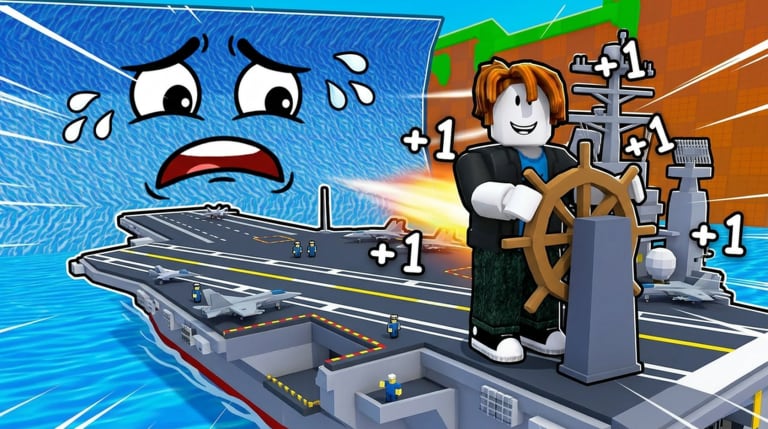
Redeeming codes in +1 Speed Boat Tsunami takes ten seconds when the string is correct. It takes thirty frustrating seconds when you typo BITPORTERS as BITPORTER, add a trailing space, or confuse uppercase I with lowercase l on mobile keyboards. The code copy tool exists to eliminate that failure mode.
This page lists every active code with one-click copy buttons implemented in the site UI, plus redemption reminders for the left-side Codes menu. For reward details and expiry tracking, see active codes. For step-by-step screenshots, see how to redeem codes.
Active codes to copy (July 2026)
Active code
1,500 Coins
BITPORTERS | Code | Reward | Copy action |
|---|---|---|
| BITPORTERS | 1,500 Coins | Use site copy button on this tool page |
BITPORTERS is the developer appreciation code from Bitporters. One thousand five hundred Coins jump-starts your first boat upgrade or treadmill session — critical in an incremental game where compound speed matters from minute one.
Codes are case-sensitive. The copy tool outputs exact uppercase strings the live client expects.
How to use the code copy tool
- Open this page on a second monitor, phone beside your PC, or tab-switch on mobile
- Click the copy button next to BITPORTERS on the interactive tool widget
- Launch +1 Speed Boat Tsunami on Roblox
- Join a public server and wait for HUD load
- Click Codes on the left side of the screen
- Click the text field, paste with Ctrl+V or long-press paste on mobile
- Press Redeem and confirm the 1,500 Coins popup
- Close the menu and spend Coins per how to unlock boats
If redemption fails, re-copy from this tool — do not retype manually. Then read troubleshooting on how to redeem codes.
Why typos matter more than you think
Roblox code systems reject near-matches silently or with vague “invalid” errors. Common mistakes:
- Missing final S in BITPORTERS
- Extra space before or after string
- Lowercase bitporters on case-sensitive validation
- Smart quotes from Discord messages instead of plain ASCII
- Confusing 0 and O in unreleased fake codes
The copy tool strips formatting baggage from social media shares. Discord bold markers and Twitter line breaks never reach your clipboard.
Platform-specific paste tips
PC: Ctrl+V in code field. If nothing pastes, click field once to focus first.
Mobile: Long-press text box → Paste. iOS may require tapping Paste from clipboard banner above keyboard.
Tablet: Same as mobile. Split-screen this tool page beside Roblox app if OS supports it.
Gamepad: Use on-screen keyboard for paste; copy tool on phone companion screen works well.
After redeeming, learn boat driving on controls before spending Coins.
When to check for new codes
Bitporters releases codes around milestones and updates. This tool page adds copy buttons when active codes confirms new strings in-game.
Expired codes move to expired codes — do not copy from outdated YouTube thumbnails.
Watch updates after patches. Code announcements sometimes hide in patch notes comments.
What to spend 1,500 Coins on first
Coins are not savings account material. Spend within the same session:
Option A: First meaningful boat toward early game boats — usually Wooden Skiff tier
Option B: Treadmill access if shop gates training behind Coin cost — see how to train speed
Option C: Split spend if shop allows partial upgrades toward Reinforced Dinghy
Do not hoard 1,500 Coins while driving Default Dinghy through tsunamis you could outrun with one upgrade.
Code copy tool vs. scripts
Some scripts claim auto-redeem features through exploits. They add ban risk for a task this tool solves in ten legitimate seconds. No executor required. No loadstring. No Roblox ToS violation.
Multi-account and alt note
Each Roblox account redeems BITPORTERS once. The copy tool works identically on alts — copy, paste, redeem, repeat per account policy you accept under Roblox rules.
Troubleshooting copy and redeem failures
Copy button does nothing — Browser blocked clipboard API. Manually select BITPORTERS text and copy. Check HTTPS and permissions.
Invalid code after clean paste — Code may have expired; check expired codes. Confirm you are in Speed Boat Tsunami, not a different experience.
Already redeemed — Account used BITPORTERS previously. No duplicate redemption.
Coins not visible — UI delay; rejoin server. Check currency counter near HUD top.
Related pages
- Active codes — rewards, status, and context
- How to redeem codes — visual walkthrough
- Tools hub — rebirth planner and future helpers
- How to play — spend Coins wisely after redeem
- Guides hub — full progression index
Copy once, redeem once, drive faster. Let the tool handle spelling so you handle tsunamis.
Frequently Asked Questions
Quick answers to common Speed Boat Tsunami questions.
What code should I copy for Speed Boat Tsunami?
BITPORTERS is the active code granting 1,500 Coins. Use this tool's copy button for exact uppercase spelling.
Where do I paste copied codes in-game?
Click the Codes button on the left side of your screen, paste into the text field, and press Redeem.
Why does BITPORTERS fail when I type it manually?
Usually typos, extra spaces, or wrong capitalization. Copy from this tool instead of retyping.
Can I redeem BITPORTERS twice?
No. Each Roblox account redeems a one-time code once.
Does the code copy tool work on mobile?
Yes. Copy on this page, switch to Roblox, long-press the code field, and paste.
What should I buy with 1,500 Coins?
Prioritize first boat upgrade or treadmill access per the boat unlock and speed training guides.