Speed Boat Tsunami Mobile Play Tips
Steer boats on touch, redeem codes on phone, and pick hulls that match mobile control limits.
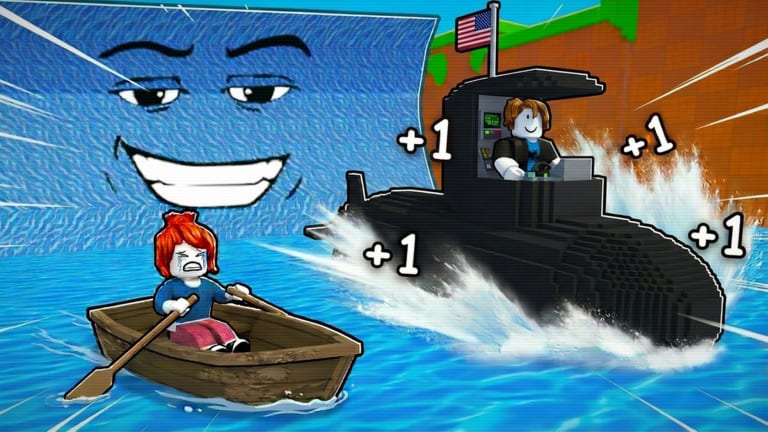
+1 Speed Boat Tsunami runs on Roblox mobile clients alongside PC and console. Touch controls work for the full loop — boats, tsunamis, Wins, treadmill training, and rebirth — but mobile introduces friction PC players never feel. Smaller screens hide the left-side Codes button, thumbsticks demand two-hand grips, and high-speed boats punish imprecise steering. This guide covers mobile-specific setup, redemption on phone, boat selection for touch, graphics tuning, and when to favor mid-tier hulls over flashy S-tier purchases.
Read controls first for the full binding reference. Return here when tsunami waves keep catching you despite following general how to play advice.
Mobile HUD layout
Bitporters places core UI elements around touch zones:
- Codes button — left side, often above thumbstick dead zone
- Coin and Win counters — top area; verify after redemption
- Boat spawn / shop — map-dependent; tap carefully to avoid mis-clicks
- Movement thumbstick — lower left; tsunami dodging uses the same stick as walking
Scan the entire left edge if Codes is missing. Mobile layouts shift after patches — check updates when UI feels different post-update.
Thumbstick steering fundamentals
Boat steering on mobile maps to the same thumbstick as on-foot movement. High-speed hulls amplify small stick errors into wall collisions and tsunami hits.
Smooth input beats hard flicks
Jerky stick snaps overcorrect at high boat speed. Hold gentle diagonal angles through wave corridors instead of maxing the stick every turn.
Pre-turn before tsunamis
Mobile latency between finger and hull is slightly higher than keyboard. Begin turns one beat earlier than PC guides suggest in how to get wins.
Two-hand grip for long sessions
Support the phone with both hands, thumbs on stick and camera. One-hand play works for treadmills but not competitive tsunami routes.
Camera angle matters
Pinch to zoom out when learning a new route. Wider view trades detail for reaction time — valuable on smaller screens.
Redeeming codes on mobile
BITPORTERS and future codes redeem identically to PC. Process:
- Launch +1 Speed Boat Tsunami from the Roblox app
- Wait for full spawn — Codes appears only after HUD loads
- Tap Codes on the left edge
- Long-press the text field, paste from code copy tool or active codes
- Tap Redeem and confirm Coin increase
Mobile redemption fixes
- Disable autocorrect before typing BITPORTERS manually
- Remove trailing spaces from Discord paste — see codes not working
- Use public servers if private servers lag redemption
- Rejoin if popup fails but button greys out
Full walkthrough: how to redeem codes.
Graphics and performance settings
Mobile thermal throttling kills frame rate mid-session. Lower FPS makes tsunami timing harder.
Reduce Roblox graphics in app settings before marathon runs. Medium or low often stabilizes frame time on older phones.
Close background apps to free RAM. Roblox mobile crashes during long treadmill AFK sessions otherwise — see AFK treadmill farming for check-in timers.
Lower in-experience effects if the game exposes quality toggles after updates.
Prefer Wi-Fi over weak cellular. Packet loss feels like input lag on boats.
Brightness and battery — mobile AFK training needs foreground app focus; plug in for sessions over twenty minutes.
When mid-tier boats beat S-tier on mobile
Top-tier hulls from best boats assume precise control. On touch, mid-tier speed you can steer often outruns max speed you crash.
Early game mobile picks
Start with recommendations on early game boats. Prioritize hulls with forgiving turn radius over raw top speed until routes feel automatic.
Upgrade timing
Move up one tier when you complete three consecutive tsunami runs without collision. Jumping two tiers early is a common mistake — see beginner mistakes.
Training compensates for hull caps
Character speed from how to train speed closes gaps without buying uncontrollable boats. Mobile players benefit from treadmill time between active runs.
Mobile-friendly session structure
Short active bursts. Ten-minute boat runs, five-minute treadmill training, repeat. Matches attention span and reduces thermal throttle.
AFK treadmills between runs. Mobile excels at passive training — stand on belt, set phone timer, return for next burst.
Redeem codes at session start. BITPORTERS Coins fund first upgrades before touch learning curve frustrates you.
Avoid complex scripts. Scripts target PC executors anyway. Mobile players should ignore exploit ads in comment sections.
Mobile vs. PC: honest comparison
| Factor | Mobile | PC |
|---|---|---|
| Steering precision | Lower | Higher |
| Codes redemption | Same menu, smaller target | Easier paste |
| Treadmill AFK | Good with check-ins | Good with key hold |
| Top-speed boats | Harder to control | Easier |
| Session length | Shorter optimal | Longer comfortable |
PC is not required for rebirth or full progression. Mobile demands more training time and smarter boat picks.
Party play on mobile
Inviting friends for the boost from invite friends boost works on mobile Roblox. Voice chat through Discord helps coordinate routes when typing in tsunami zones is impractical.
Troubleshooting mobile-specific issues
Stick drift feeling — clean screen, restart app, check phone case edge pressure.
Codes button under thumbstick — rotate device or use landscape if supported; scan full left edge.
Boat feels unresponsive — frame drops; lower graphics.
Kicked while AFK training — return every ten minutes with micro-input; Roblox mobile kicks aggressively.
Related pages
- Controls — full PC, mobile, and gamepad reference
- How to play — beginner loop overview
- Early game boats — mobile-friendly hull picks
- How to redeem codes — left-side Codes walkthrough
- Codes not working — fix mobile paste errors
- Guides hub — full walkthrough index
Frequently Asked Questions
Quick answers to common Speed Boat Tsunami questions.
Can you play Speed Boat Tsunami on mobile?
Yes. The full Roblox experience runs on mobile with touch thumbstick steering, treadmill training, codes, and rebirth.
Where is the Codes button on mobile?
Left side of the screen after spawn, sometimes above the thumbstick. Tap Codes, paste BITPORTERS, and press Redeem.
Why do I keep crashing on mobile?
Often frame drops or buying boats too fast for touch control. Lower graphics and use mid-tier hulls from the early game tier list.
Are high-tier boats bad on mobile?
Not bad, but harder to steer. Mid-tier boats you control beat S-tier boats you crash. Upgrade when routes feel consistent.
How do I redeem BITPORTERS on phone?
Open Codes on the left, long-press to paste the all-caps string, tap Redeem. Use the code copy tool to avoid typos.
Is mobile viable for rebirth progression?
Yes. Shorter active sessions plus treadmill AFK between runs match mobile well. Follow the rebirth guide when thresholds are met.